Use every Photoshop shortcut, whatever keyboard you type on.
KeyFlow adapts Photoshop’s shortcuts to your keyboard’s language and layout, so the defaults stop getting in your way.
Photoshop plugin · 43 keyboard layouts · Photoshop CC 23.3 and later

Get more done in Photoshop with shortcuts that fit your keyboard
What it does.
Photoshop is used everywhere, but its default shortcuts assume a QWERTY keyboard. KeyFlow lets you build shortcuts that make sense for your own keyboard and the way you work.
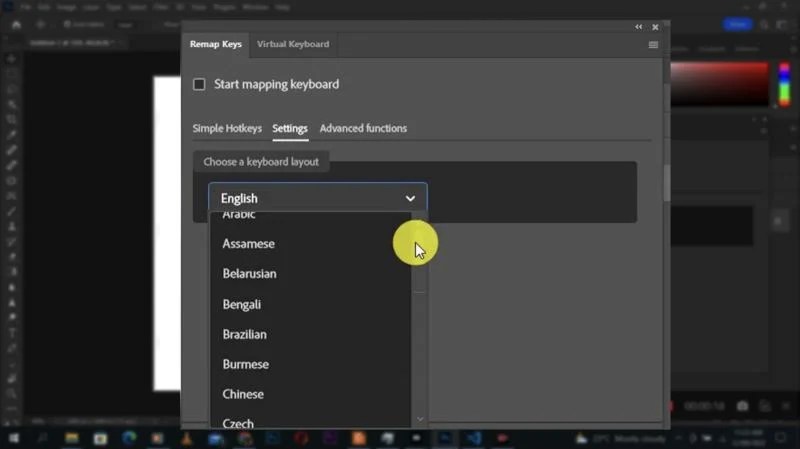
Every keyboard layout
AZERTY, QWERTZ or any layout in the world: KeyFlow adapts Photoshop to it. 43 layouts are supported, and any key can become a Photoshop shortcut.
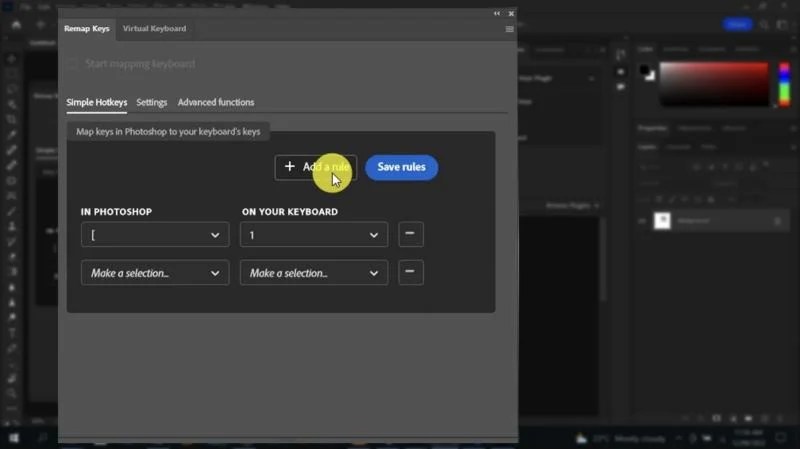
Easy to customise
Map any Photoshop key to any key on your keyboard, and decide exactly what happens when you press it.
Fits right into Photoshop
Setup takes minutes, and KeyFlow asks your permission before it changes any Photoshop shortcut. Works with Photoshop 23.3 and later on Windows.

See KeyFlow in Photoshop.
The tutorial shows the whole setup, from choosing your keyboard layout to customising shortcuts.

Ready to remap your Photoshop shortcuts?
We built KeyFlow because designers on non-QWERTY keyboards kept losing shortcuts. The tutorial shows the whole setup.
Frequently asked questions.
What exactly is KeyFlow?
A plugin for Adobe Photoshop that lets you use custom, optimised keyboard shortcuts, whatever keyboard layout you use.
Which Photoshop versions does it work with?
Photoshop CC 23.3 and later. We update it regularly to keep up with new Photoshop releases.
I use an uncommon keyboard layout. Will KeyFlow support it?
Very likely. KeyFlow supports Arabic, Assamese, Balochi, Belarusian, Bengali, Brazilian, Burmese, Chinese, Czech, English, Farsi, French, Georgian, German, Gilaki, Greek, Hebrew, Hindi, Hungarian, Italian, Japanese, Kannada, Korean, Kurdish, Malayalam, Nigerian, N’ko, Norwegian, Odia, Polish, Punjabi, Russian, Russian Old, Sindhi, Spanish, Swedish, Telugu, Thai, Turkish, Ukrainian, Urdu, Urdu Standard and Uyghur.
Can I suggest new features?
Yes, please. Tell us what would make KeyFlow better for you and we’ll consider it for the next version.
How easy is it to set up?
Install it from Creative Cloud and follow the setup guide. It takes a few minutes.
Does it work on macOS?
A macOS version is coming. Use the macOS button above to follow its Adobe Exchange listing.
Changelog
- First release for Photoshop on Windows.
- 43 keyboard layouts, simple rules and saved profiles.
- Virtual keyboard to see your shortcuts at a glance.


Break free from default Photoshop shortcuts.
Download version 1.0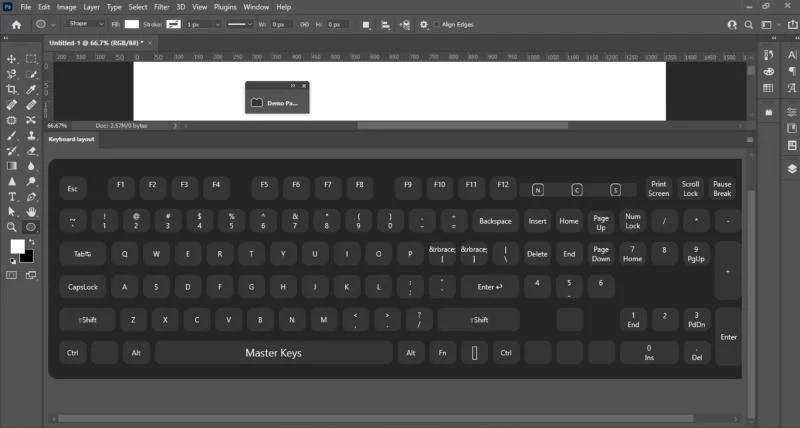
Terms of servicePrivacy policykeyflow@edgidesign.com